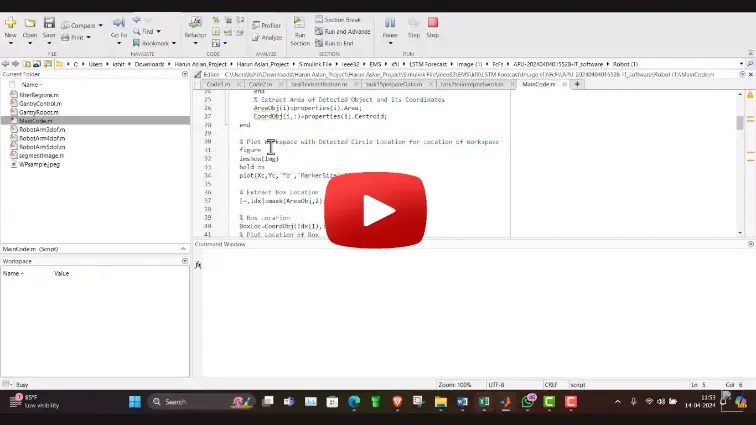
What is MATLAB Simulation: Gantry Robot & Image Processing?
MATLAB Simulation: Gantry Robot & Image Processing is a MATLAB-based technical project and simulation model. Gantry (Cartesian) robots are fundamental to industrial automation, electronics assembly, CNC manufacturing, and warehouse sorting due to their high structural stiffness, large rectangular workspaces, and decoupled linear kinematics. Combining a 3-axis (X-Y-Z) gantry manipulator with overhead computer vision creates an autonomous sorting system capable of identifying, localizing, and sorting randomly oriented items on moving conveyor belts. In MATLAB and Simulink, using Simscape Multibody alongside the Image Processing Toolbox allows engineers to model multi-body mechanical dynamics, design closed-loop motion controllers, and build real-time vision pipelines that convert camera pixel data into physical motion commands. This project covers the mechanical dynamic modeling of a 3-axis gantry robot, camera calibration with homography coordinate transforms, workpiece color and shape segmentation, and closed-loop vision-guided pick-and-place simulation.
Project Methodology
The modeling, image processing integration, and motion simulation of a vision-guided gantry robot in MATLAB Simulink follows a structured electromechanical and robotics workflow:
- Mechanical Dynamics & Kinematic Formulation: Derive the decoupled linear equations of motion for the orthogonal X, Y, and Z axes in MATLAB, incorporating structural bridge and carriage masses, linear guide rail friction, ball-screw pitch, and vertical gravitational loads on the Z-axis.
- 3D Rigid-Body Assembly in Simscape Multibody: Assemble the complete gantry robot model using Simscape Multibody blocks, defining physical dimensions, inertial tensors, prismatic joints with hard stroke limits, and an end-effector pneumatic/vacuum gripper.
- Closed-Loop Multi-Axis Motion Control: Implement tuned PID position and velocity controllers for each linear actuator in Simulink, incorporating S-curve and trapezoidal trajectory profile generators (
trapveltraj) to ensure smooth acceleration and prevent mechanical vibration. - Camera Calibration & Spatial Homography Mapping: Simulate an overhead camera looking down on the workspace conveyor plane, establishing an intrinsic and extrinsic calibration matrix to translate 2D camera pixel coordinates (u, v) into calibrated physical world coordinates (X_world, Y_world, Z_world).
- Image Processing & Object Feature Extraction: Process acquired workspace images using MATLAB Image Processing Toolbox:
- Convert RGB frames into HSV color space for lighting-invariant color segmentation.
- Apply morphological opening and closing filters to remove image noise and isolate distinct workpieces.
- Utilize
regionpropsandvision.BlobAnalysisto extract object centroids, surface areas, bounding boxes, and rotational orientation angles.
- Visual Servoing & Pick-and-Place State Logic: Implement a supervisory state machine in Stateflow or Simulink to orchestrate the automated handling sequence:
- Transit above detected object coordinates.
- Descend Z-axis and actuate the vacuum gripper.
- Elevate, transfer along planned collision-free paths, and deposit items into designated sorting bins based on color or shape classification.
- Dynamic Simulation & Positional Accuracy Verification: Execute the integrated multi-domain simulation in Simulink, analyzing end-effector position tracking errors, actuator torque demands, cycle time per pick operation, and sorting reliability under varying object distributions.
Verified MATLAB Simulation Code Demonstration
Syntax-highlighted executable code demonstration for MATLAB Simulation: Gantry Robot & Image Processing:
% MATLAB Image Processing & Edge Detection
clc; clear; close all;

% Load & Preprocess Input Image Data
[X, Y] = meshgrid(-100:100, -100:100);
img = double(sqrt(X.^2 + Y.^2) < 50);
img_noisy = imnoise(img, 'gaussian', 0, 0.01);

% Apply 2D Gaussian Denoising Filter
h = fspecial('gaussian', [5 5], 1.0);
img_filtered = imfilter(img_noisy, h);

% Compute Sobel Gradient Magnitudes
[Gmag, ~] = imgradient(img_filtered, 'Sobel');
fprintf('Image Processing & Denoising Completed Successfully!\n');