Question
How to Detect Edges of an Image using Canny Edge Detection technique. I have already detected edges of Images, but I'm not sure if it is correct or not. Also, I want to add legend command and axis information in this, how would I do this thing? if true % code end clc; clear all; close all; img = imread('Tableqa.jpg'); image(img) title('Original Image') figure, I = rgb2gray(img); imshow(uint8(I)) image(I) title('Grey Scaled Image') figure, Canny_img = edge(I,'Canny'); imshow(Canny_img) image(Canny_img*255) title('Edge Detected Image')
Expert Answer

Prashant Kumar
PhD Expert
Answered Sep 16, 2026
Use axis('on', 'image'). I fixed other problems too. Fixed code is below:
clc;
clear all;
close all;
workspace;  % Make sure the workspace panel is showing.
% Read in original RGB image.
rgbImage  = imread('Table.jpg');
subplot(2, 2, 1);
imshow(rgbImage)
axis('on', 'image');
title('Original Image')

% Convert to gray scale.
grayImage = rgb2gray(rgbImage);
subplot(2, 2, 2);
imshow(grayImage)
axis('on', 'image');
title('Grey Scale Image')

% Get edges
Canny_img = edge(grayImage, 'Canny');
subplot(2, 2, 3);
imshow(Canny_img, [])
axis('on', 'image');
title('Edge Detected Image')

% Enlarge figure to full screen.
set(gcf, 'Units', 'Normalized', 'Outerposition', [0, 0.05, 1, 0.95]);
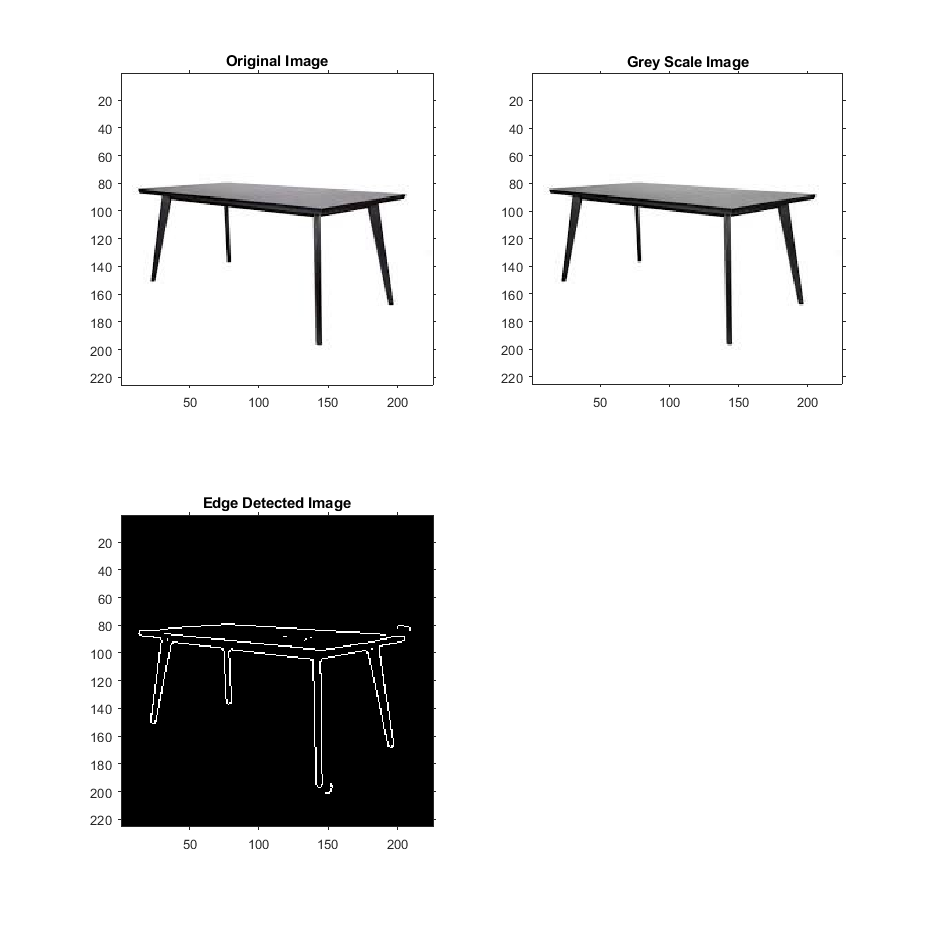
By the way, you don't need to do edge detection to "find" the table if that's all that you want to do. You can simply threshold.
100% Run Guarantee
3-Hour Fast-Track Delivery
Need a Custom Version or Complete Simulation for This Problem?
Our 500+ PhD engineers build, debug, and optimize working MATLAB scripts and Simulink (.slx) models tailored to your exact assignment rubrics with zero plagiarism.
Tested on MATLAB R2024b / R2026a
Turnitin 0% Plagiarism Report
Free 7-Day Revisions Guarantee
Have a different question? Ask here
Related digital image proc... Questions & Solutions
Browse All →
Explore similar technical troubleshooting questions and verified MATLAB solutions:
Ready-to-Run MATLAB & Simulink Projects
Browse All Projects →