What is Fuzzy Logic Energy Management in MATLAB Simulink: EMS Guide?
Fuzzy Logic Energy Management in MATLAB Simulink: EMS Guide is a MATLAB-based technical project and simulation model. Solar panels and wind turbines produce variable power that changes whenever clouds roll in or wind speeds drop. Pairing renewable generation with a battery bank smooths these swings, but deciding how much power to send to or pull from the battery in real time is tricky. Fixed threshold rules (like hard on/off cutoffs) cause mechanical relays and electronic switches to chatter when power hovers near a boundary. Standard PID controllers also struggle because battery chemistry, solar output, and load demands behave non-linearly. Fuzzy logic controllers handle this ambiguity well. Instead of requiring exact mathematical transfer functions of the whole microgrid, a fuzzy controller uses intuitive linguistic rules (such as high solar surplus or low battery charge) to make smooth control decisions. In MATLAB and Simulink, you can design a fuzzy inference system that prevents deep battery discharge, dampens DC bus voltage swings, and coordinates multi-source power flow without complex math.
Project Methodology
This workflow implements a centralized fuzzy logic controller that coordinates power dispatch between renewable generation, battery storage, and variable loads. The process covers five practical stages:
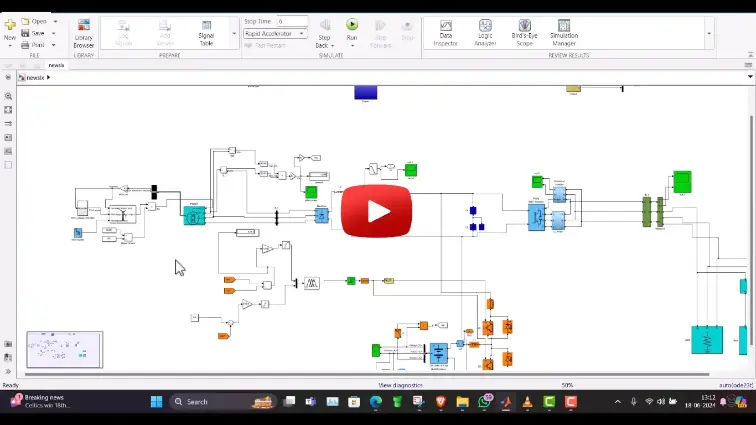
- Microgrid plant setup: Build the electrical circuit in Simulink using Simscape Electrical blocks. The model includes a solar PV array with perturb-and-observe maximum power point tracking, a small wind turbine generator, a fluctuating load profile, and a lithium-ion battery tied to a shared DC bus through a bidirectional buck-boost converter.
- Fuzzy system configuration: Open the Fuzzy Logic Designer app in MATLAB to build either a Mamdani or Sugeno inference system. Define two or three primary inputs:
- Net power difference: Generation minus load demand (ranges from severe deficit to heavy surplus).
- Battery state of charge: Current battery percentage, divided into low, normal, and high operating regions.
- Power command output: Desired current or power setpoint passed to the battery converter.
- Membership functions and rule creation: Map the inputs and outputs using triangular or trapezoidal membership functions. Write straightforward IF-THEN rules to govern power routing:
- When generation exceeds load and the battery has available capacity, divert excess power into the battery.
- When the battery is nearly full, taper the charge rate to prevent overcharging and cell heating.
- When load exceeds generation, discharge the battery to cover the gap. If the state of charge drops near the minimum safe limit (such as 20%), limit discharge current to preserve battery health.
- Defuzzification and Simulink integration: Convert the fuzzy output back into a crisp numerical value using the centroid method. Place the Fuzzy Logic Controller block into the main Simulink model, feeding real-time sensor measurements into the inputs and routing the defuzzified output directly to the battery converter PWM generator.
- Testing under variable conditions: Run 24-hour simulation profiles with sudden weather shifts and stepped load spikes. Track DC bus voltage, battery current waveforms, and state-of-charge curves to ensure the system maintains steady bus voltage without sharp current surges.
The resulting fuzzy controller provides smooth power transitions, reduces converter wear, and keeps the microgrid stable across fluctuating operating conditions.
Verified MATLAB Simulation Code Demonstration
Syntax-highlighted executable code demonstration for Fuzzy Logic Energy Management in MATLAB Simulink: EMS Guide:
% State-Space Control & Stability Analysis
clc; clear; close all;

% System Matrices
A = [0 1; -4 -5];
B = [0; 1];
C = [1 0];
D = 0;

sys_ss = ss(A, B, C, D);
Co = ctrb(A, B);

% Pole Placement Control
desired_poles = [-3 + 4i, -3 - 4i];
K = acker(A, B, desired_poles);

sys_cl = ss(A - B*K, B, C, D);
fprintf('State Feedback Controller Formulated Successfully!\n');